PANIC
This is the page for doctoral candidates, post-docs, and researchers who need help right now.
We know exactly how overwhelming the PhD and post-doc journey can be. While panic can make everything feel hopelessly dark, it is actually just a natural overload response — it simply trips the fuse-breaker.
The reset is on this page. There are many factors that contribute to panic, but calm, rational help is the answer.
One of eight pages on when things go wrong. Browse all 69.
Related links
- Why Platforms Fail
- Trouble
- Dread
- Rejected and Bounced Dissertations
- Navigating AI Detection Paranoia
- Backing Up Your Work
- Clear Pricing
- Rush charges
- What Help Do You Need?
- Advantages of Editors and Coaches
- Contact Us
- Should I Quit?
- Is This Normal?
- Working With Your Chair and Committee
- Doctoral Triage & Defense Directory
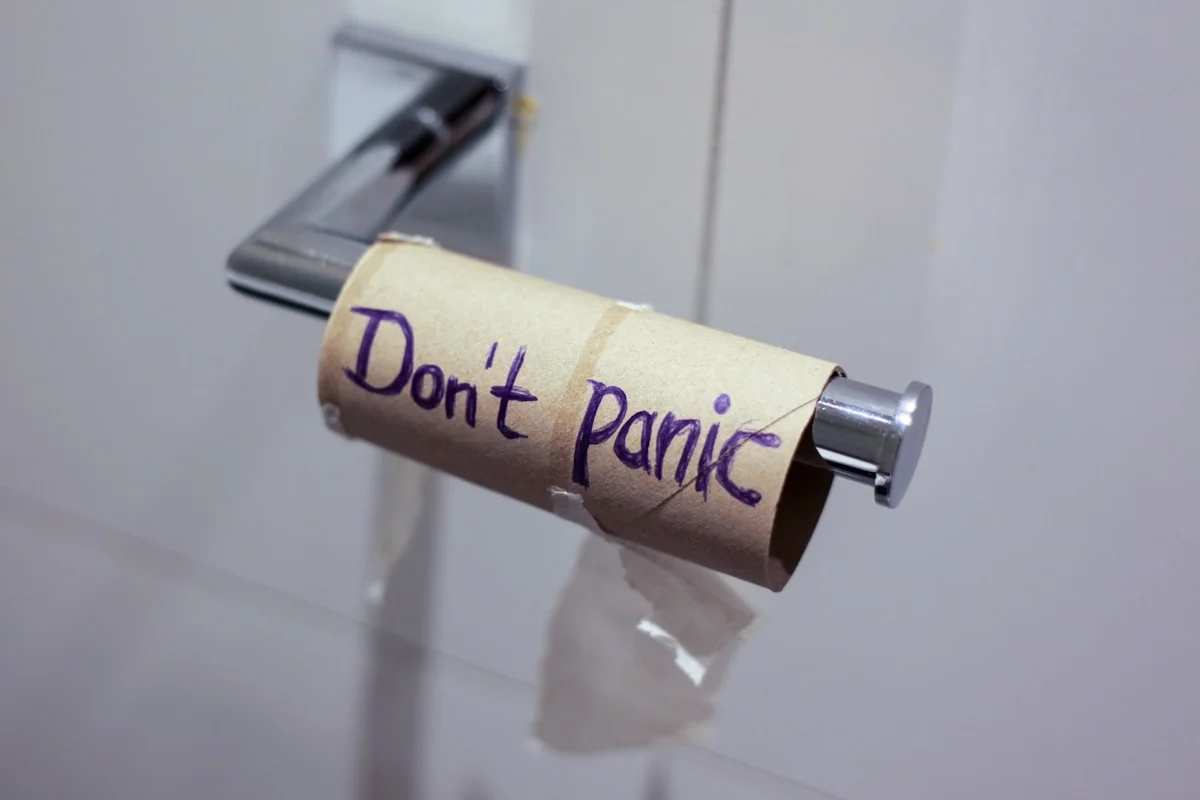
We know exactly how to untangle these academic bottlenecks and make things right. If you are facing an immediate deadline, you can call us this instant, 24/7. If not? Jump to the What to do section of this webpage and review it.
If you are calling us, try — if your stress will allow it — to send us any materials you have at panic@morethananeditor.com prior to calling so we can review them immediately. The fastest way to reach us: 332-276-8707 and 920-482-2181.
And? We never use AI assistants or robot attendants to answer our phones! So both lines will get a live human being. Call, we are calm, non-judgmental, practical, and easy to talk to... even at 3 in the morning.
Working with a student advocate or union steward?
If you are preparing for a formal meeting, or working with a union grievance officer, start at the Doctoral Triage & Defense Directory. It points to the paper-trail pages and the detector-accusation pages on this site.
Situations that often trigger panic mode:
- The Milestone Ultimatum: Need to achieve a certain milestone (usually very soon) or be ejected from program.
- Sudden Life Crisis: Sudden life crisis that affects ability to meet deadlines based on current progress on own.
- The Toxic Chair: Realization a Chair, or a replacement Chair, is impossible to deal with.
- Institutional Rejection: Bounced at School Review or facing major structural flaws in a draft.
- The Citation Trap: Serious plagiarism or inadvertent citation tracking problems.
- Scholarly Language: Realization you cannot learn how to write scholarly English fast enough on your own.
- The Technical Deficit: Facing a hard deadline and realizing you do not have the technical skills to execute a task to specification.
- Data Distress: Data manipulation or analysis trouble.
- The Clock Running Out: Clock running out on the maximum time an institution allows to secure your degree.
- Catastrophic Loss: Complete local data loss or hardware destruction of key parts of your research manuscript.
- The Funding Cliff: Loans, GI Bill, corporate research or foundation funding about to dry up.
- [Methodology](/meth) Flagged: Statistical or other analysis incorrect, bad, or flagged as inappropriate.
- Topic Deadlock: Multiple independent attempts to find a suitable, approved topic have all failed.
- Sudden Relocation: Sudden corporate relocation or military deployment overseas.
- Personal Emergency: Major personal or family illness.
- Deep Personal Isolation: Excessive stress from an extended isolating journey where friends, family, and associates often simply cannot understand the process, the brutal time costs, or the pressure.
- The Mental Block: Persistent writer's block or a complete loss of direction regarding what to do next.
Common reasons you are here
If you need us right now
Total panic? Call immediately.
Near total panic? Email us your materials and then? Call us.
Major funk but you can still think and act? Read the What to Do section below...
And here are all of our lines:
- Main North America Line: +1-332-276-8707
- Alternate North America Line: +1-920-482-2181
- International Line: +507-6307-6867
- Urgent Alternate, 24/7/365: +507-6215-8112
...I have lost my draft...
Stop touching the machine. Now, before you read the rest of this.
Do not save anything to it. Do not install anything. Do not run a recovery tool onto the same drive. The most common cause of permanent loss is what people do in the first hour — recovery software installed onto the drive it is trying to recover from will overwrite the very thing you are looking for. And if the drive is an SSD, the clock runs differently — see what happens when the drive itself has failed below. Recovery software works far better on a hard drive.
If the laptop will not start, leave it off.
Now the part nobody tells you: what you have lost is almost certainly less than it feels like.
Work through these before you despair.
The two easy ones
OneDrive first, and check it even if you never signed up for it. Most candidates work on Windows and write in Word, and Microsoft has spent years switching OneDrive on by default. A great many people are backed up without ever having chosen to be. If you have a Microsoft account, look there before you look anywhere else.
Email second. Chances are your email lives online — looking at you, Outlook. Check your sent folder. Check your trash. Check your inbox for replies with attachments.
Then any other online storage you have
Google Drive, Dropbox and iCloud all keep previous versions too — often for thirty days, sometimes considerably longer.
In every case, look for version history, not for the file. The file may be there and wrong; an earlier version of it may be there and right. This is where many "lost" dissertations are found, and a great many people do not know the feature exists.
The great complaint of our age is that third parties retain copies of everything. Today, that is your silver lining.
Still not found it? Then on to the slower routes
Your phone and tablet — and put them in airplane mode first
Before you open anything on them, turn off wifi and mobile data.
If a device has not synced since you lost the work, it still holds the version from before. Open the app while it is online and it will fetch the loss and overwrite what it has. That is the same mechanism that makes sync dangerous, working in your favor — for exactly as long as the device stays offline.
Then look. The Word app and the OneDrive app both keep recently opened files on the device. Your email app holds every attachment you have ever been sent or sent yourself. Messaging apps hold whatever you forwarded to a supervisor at midnight.
And check the photographs. Whiteboards, screens, printed pages, a supervisor's marked-up copy — candidates photograph far more of their own work than they remember.
Then think about who else was in the room. A whiteboard you photographed, your Chair may have photographed too. Anyone who was on a call with you may have a recording, a chat log, or a file you sent during it. A co-author. A committee member. Somebody from your cohort you were working through a problem with.
And if you have ever used an editor, a coach, a statistician or a proofreader — at any point, however briefly — they have a copy of whatever you sent them. People forget this because the engagement ended months ago. The file did not end with it.
Ask. All of them. The worst answer is no.
And ask the institution, not just the people.
Your Chair's meeting recordings may be retained by the university, not by them personally — Teams and Zoom sessions run through an institutional account are often kept on institutional servers whether or not your Chair knows it. Same for a shared drive, a supervision log, or anything submitted through a portal.
Their IT department almost certainly runs backups. If any part of your work ever touched a university machine, a university account, or a university network drive, there may be a copy in a system nobody has thought to look in. Ask them directly, explain what happened and when, and ask early — retention windows run out.
And look in the trash. Everyone's. Yours, on every device and every cloud service.
Cloud services usually hold deleted items for thirty days. A trash folder on somebody's own computer has no such rule — it sits until they empty it, and a great many people never do. A Chair who deleted your chapter two years ago may still have it.
And academics archive rather than delete. Anyone senior enough to supervise has been caught out needing something from six years ago (storage is nearly free, after all) and has kept everything since. Ask them to search, not to remember.
Your Chair. Almost every candidate has sent chapters out for comment. Your Chair, your committee and your reviewers between them usually hold a surprising amount of your dissertation — older, but real. Others may have seen parts of it too.
And do not overlook paper. Some people still print material out to review it — one of our founder's co-authors does exactly that. Text on paper can be turned back into electronic text quickly, and with fair accuracy.
Piecing together several sources turns a catastrophe into an updating problem. It is also, as it happens, a very good moment to review the material properly.
Your data, if it is online. Surveys run through Qualtrics, Google Forms, SurveyMonkey and the rest still hold your raw responses. Interview recordings, transcription services, statistical packages, the shared drive from a collaboration. Your evidence is frequently the thing that survived.
Anywhere you sent anything. Submission portals. Email attachments. The draft you sent yourself. An old copy is not nothing — it is a floor.
The other devices. The old laptop, the USB stick in a drawer, the machine you used before this one.
...my laptop is dead and everything was on it...
A laptop that will not start is very often a laptop with a perfectly good drive inside it.
Most laptop failures are not storage failures. The power supply, the battery, the board, the screen — any of those will stop a machine dead while leaving the SSD or hard drive entirely untouched. The machine is dead. Your dissertation, very often, is not.
The drive can usually be removed and read on another computer. If you are not confident doing it yourself, any competent repair shop will do it in minutes. Ask them to remove the drive and verify it is good.
If it is — wonderful. Have them sell you an external case and install the drive in it. Or, less expensively, buy the enclosure yourself: a good one from a reputable brand starts around fifteen dollars, and fitting the drive takes about a minute. Amazon if you have a few days. Your local big-box retailer if you do not.
Either way, whether the laptop itself can be repaired or not, you have your work back. And afterwards, if you end up with a new machine, that drive in its case becomes backup storage, travel storage, or whatever else you need.
Be careful what you ask for. A repair shop asked to "get it working" may reinstall the operating system or replace the drive — and a warranty repair will often return your machine with a new, empty drive and the old one gone. Get the data off first, before any repair work. Say so, in writing, before you hand it over.
Two exceptions worth knowing.
Recent Macs, and some ultrabooks, have storage soldered to the board. It cannot be removed. Recovery is then a specialist job and sometimes impossible — but it is still worth asking rather than assuming.
And if the drive is encrypted — BitLocker on Windows, FileVault on a Mac — the drive alone is not enough. You need the recovery key. For BitLocker it is usually in your Microsoft account; for FileVault, in your Apple account or on the paper you were told to keep. Find that before you find a repair shop.
And the harder case: the drive itself has failed.
Solid-state drives fail differently from hard drives, and worse. A hard drive will frequently warn you — noises, slow reads, files that take too long to open, errors in the drive's own health reporting. An SSD frequently will not. It works, and then it does not.
Nor does age protect you. If anything it is the reverse. A meaningful share of SSD failures happen when the drive is new or nearly new — a controller or firmware fault that was there from the factory and shows up in the first months. The drive you just bought is not the safe one.
When an SSD's controller fails, the data is unreachable even though the chips still hold it. There is no equivalent of the repairs that work on a hard drive. Specialist recovery exists, costs far more than the drive did, and often fails.
This also changes the advice above. Recovery software works reasonably well on a hard drive, where a deleted file usually sits there until something overwrites it. On an SSD, TRIM generally erases it within minutes. If your draft was deleted from an SSD, act immediately or not at all.
Which is why our own backup drives are hard drives. Slower, larger, cheaper — and there is a fair chance they will warn you before they fail. No guarantee. But for the drive holding the only other copy of your dissertation, a fair chance of warning is worth more than speed.
If the machine was issued by your university, talk to their IT department first. They may hold the encryption key, they may have a backup you do not know about, and they will certainly have a policy about who may open it.
Putting it back together
This is the part we are genuinely good at, and it goes beyond our assistance with data recovery.
We once worked with a candidate whose computer and storage both burned. Not a crash — a fire. We recovered a great deal of that dissertation, not from the hardware, but by assembling what existed elsewhere and working out, from the structure of what survived, what had been in the gaps.
That is the actual skill. Somebody who knows what a chapter must contain can look at a partial draft and see what is missing from it — which argument has lost its support, which section ends without concluding, where a result is referenced but no longer present. Then that prose can be rewritten, by you, with us telling you precisely what each gap needs to do.
To be exact about what that means: reconstructing your writing. Never your data. Findings that are gone are gone. If evidence cannot be recovered from the survey platform, the transcripts or your own records, it must be collected again — and any service that suggests otherwise is offering you misconduct.
We cannot promise to recover anything, and nobody honest can. Sometimes work is genuinely lost. What we can usually do is establish what still exists, what the gaps actually require, and how long putting it back will really take — which is nearly always less than it feels like at two in the morning.
Call us. At any hour. This is exactly the kind of thing worth talking through with somebody who is not panicking.
Afterwards — and only afterwards — our backups page is how this does not happen twice. Not now. Now is for finding what survived.
What to do?
If you have not panicked completely — do not. Most things, even ones that seem impossible, can be fixed.
Here are three examples of possible options:
- The University Ombudsman: Often universities have a person who acts as an ombudsman or who helps students in genuine trouble, even if you do not know about that.
- A Concrete Action Plan: A concrete and actionable plan can also sometimes get you a little more time… Chairs also frequently respond positively if you can demonstrate you are getting competent help.
- Crash Priority Sprints: Crash priority, day and night work, in conjunction with targeted, continuous support and assistance in working to meet a deadline may also be an option. As you can imagine, such situations play havoc with our work schedules and we do charge rush rates for that type of help… but it is available.
Why we can do this when others cannot:
Online platforms are not built for a crisis. They run on anonymous, low-paid workers — the people most likely to walk away the moment a project turns difficult.
Solo practitioners certainly exist, but the good ones are hard to find. They are always busy and they do not usually advertise — so you cannot find them at the point you urgently need one.
In any case, panic work is not an editing problem. It is a thinking problem — holistic reading, accurate diagnosis, and a corresponding, targeted plan. An editor is not trained for that. An advanced editor often is not either. A coach is the right kind of help. But good solo coaches are scarce, hence busy, and no individual practice can drop everything and work through the night without destroying their schedule. That is the nature of solo practice.
We can step in because we are no longer one. Our edge is a highly competent, and above all stable and loyal, team — paid fairly, which is what makes any of this possible. We cannot afford to burn them out, so at any given moment we can take on very few of these. The number is always in the low single digits.
If you want the honest mechanics of why the industry fails you in times of crisis, read our full breakdown. If your deadline is hours away, skip the reading and call us.
Most crises fall into familiar categories, though yours may be one of the unusual ones. Either way, we will work the problem with you until there is a plan.
Remember, when you get really nervous, let alone end up in a real funk, almost everything seems nearly insurmountable or just plain impossible. At that point, the most useful thing you can do is let someone outside your own head look at it and tell you, honestly, what is actually possible.
Panic is not failure, but panic that leads to paralysis will lead to failure. In these cases, getting help fast from us, or someone else, is the most important step to getting to a solution.
If the thought underneath is whether to continue at all — not how to get through this crisis — that is a different question and it deserves a straight answer.
One of eight pages on when things go wrong. Browse all 69.

